Disclosure: SBMM makes the #1 extension on this list. We tell you this up front, and we list its weak points too.
The best SEO Chrome extensions in 2027 are SBMM – SEO Signals & Etsy Toolkit (best free all-in-one, with DR, DA, referring domains, volume and keyword difficulty on every result and no login), Ahrefs SEO Toolbar (best for Ahrefs users and link checks) and Detailed SEO Extension (best free one-click on-page check).
Our top picks
- Best overall: SBMM – SEO Signals & Etsy Toolkit. Free, no login for SEO, and it puts authority, referring domains, volume and keyword difficulty under every search result.
- Best for backlink checks: Ahrefs SEO Toolbar. The strongest name in link data, with free link and redirect tools. Full backlink numbers need a paid Ahrefs plan.
- Best free on-page checker: Detailed SEO Extension. One click shows title, meta, headings, links, schema and hreflang. It is 100% free.
- Best for keyword volume: Keywords Everywhere. Volume, CPC and trend on Google and 15+ other sites, from $7 a month billed yearly.
- Best for traffic estimates: Similarweb. The easiest way to see a site’s visits, traffic sources and top countries, free for the basics.
Comparison table
| Extension | Best for | Free plan | Paid from | Login needed | Key metrics | Rating / users |
|---|---|---|---|---|---|---|
| SBMM – SEO Signals & Etsy Toolkit | All-in-one free SERP, local and page SEO | Yes, full SEO extension with daily fair-use limits | $2/mo (Contributor Pro) | No (free account for Etsy and some site tools) | DR, DA, PA, spam score, referring domains (dofollow/nofollow), volume, CPC, KD, traffic, AEO/GEO score | 4.9 (63 ratings), 10,000+ users |
| Ahrefs SEO Toolbar | Ahrefs users, links and redirects | Yes, on-page, link and redirect tools | $29/mo (Ahrefs Starter) | Free sign-in for DR/UR, paid plan for most metrics | DR, UR, backlinks, referring domains, traffic (paid) | 4.7 (568), 400,000 |
| Detailed SEO Extension | One-click on-page check | Yes, 100% free | None | Not stated (works without one) | Title, meta, headings, links, schema, hreflang | 4.8 (234), 600,000 |
| SEOquake | Free SERP metrics, Semrush users | Yes | $139/mo (Semrush SEO plan) | No (free Semrush account adds more) | Semrush Rank, traffic, backlinks, keyword density, page audit | 3.6 (2.6K), 1,000,000 |
| Keywords Everywhere | Keyword volume on many sites | Limited (keyword lists, no volume) | $7/mo billed yearly ($84/yr) | Account or API key for paid data | Volume, CPC, competition, trend, DA, traffic | 3.3 (5.7K), 1,000,000 |
| Similarweb | Website traffic check | Yes (basic data) | No public price | No (must accept data sharing) | Visits, duration, bounce rate, rank, sources, countries | 4.5 (3.8K), 1,000,000 |
| MozBar | DA/PA, Moz Pro users | Guest on-page tools only | About $49/mo (Moz Pro Starter, not confirmed on moz.com) | Free account for DA/PA, Pro for more | DA, PA, Brand Authority, spam score (Pro) | 1.4 (2.5K), 900,000 |
| AITDK SEO Extension | Traffic and site setup overview | Yes, 30 credits a month | $10/mo ($100/yr) | Yes, for credit lookups | Traffic, AI traffic, Whois, keyword density, backlinks (credits) | 4.6 (143), 100,000 |
| SEO Minion | Technical checks (hreflang, links, SERP preview) | Yes, free | None | No | On-page, broken links, hreflang, schema, SERP preview | 1.6 (797), 200,000 |
| Redirect Path | Redirects and status codes | Yes, free | None | No | Status codes, redirect chain, headers, server IP | 4.3 (200), 300,000 |
Store ratings and user counts were taken from the Chrome Web Store on 12 November 2026. They change often.
How we picked and checked these
We started with the SEO extensions people install most and the ones our learners ask about, and cut anything that is not really an SEO tool.
On 12 November 2026 we opened each extension’s Chrome Web Store page and wrote down the user count, the rating, the number of ratings, the version and the last update date. We then opened each official pricing page to get the real entry price. Where a price page could not be loaded or shows no price, we say so in the text.
We also ran our own extension, SBMM, on real Google and Bing searches, on Google Maps and on live web pages to check that every feature we describe works today.
To be clear, we did not run long hands-on tests of every competitor for this article. For the other nine tools, the features, pros and cons come from their store listings, their official pages and their public reviews. If you want a simple checklist to judge any extension yourself, read our guide on 9 things to check before installing an SEO extension.
1. SBMM – SEO Signals & Etsy Toolkit: best overall free SEO extension
SBMM – SEO Signals & Etsy Toolkit is a free Chrome extension made by SBMM, an SEO training institute in Pakistan. It shows SEO metrics under every search result, checks any page you open, and adds local SEO and Etsy tools. The SEO features need no account and no card.
We built it because our students kept asking one thing: can I see if page one is beatable without paying for three tools?
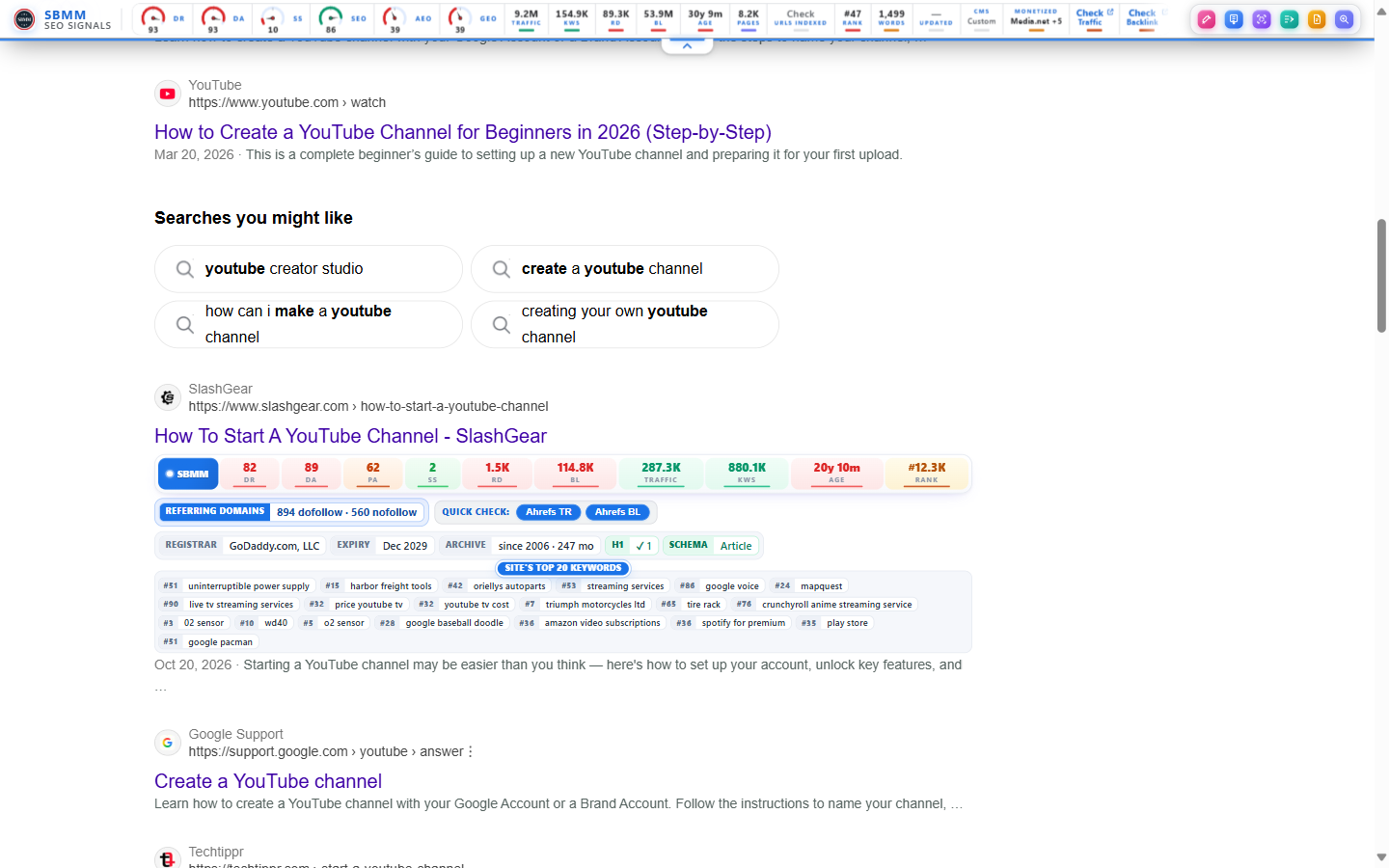
Quick facts: SBMM – SEO Signals & Etsy Toolkit has 10,000+ users and a 4.9 rating from 63 ratings on the Chrome Web Store as of November 2026, the highest rating in this list (version 1.7.6, updated 10 November 2026). It is free, with no login for SEO features.
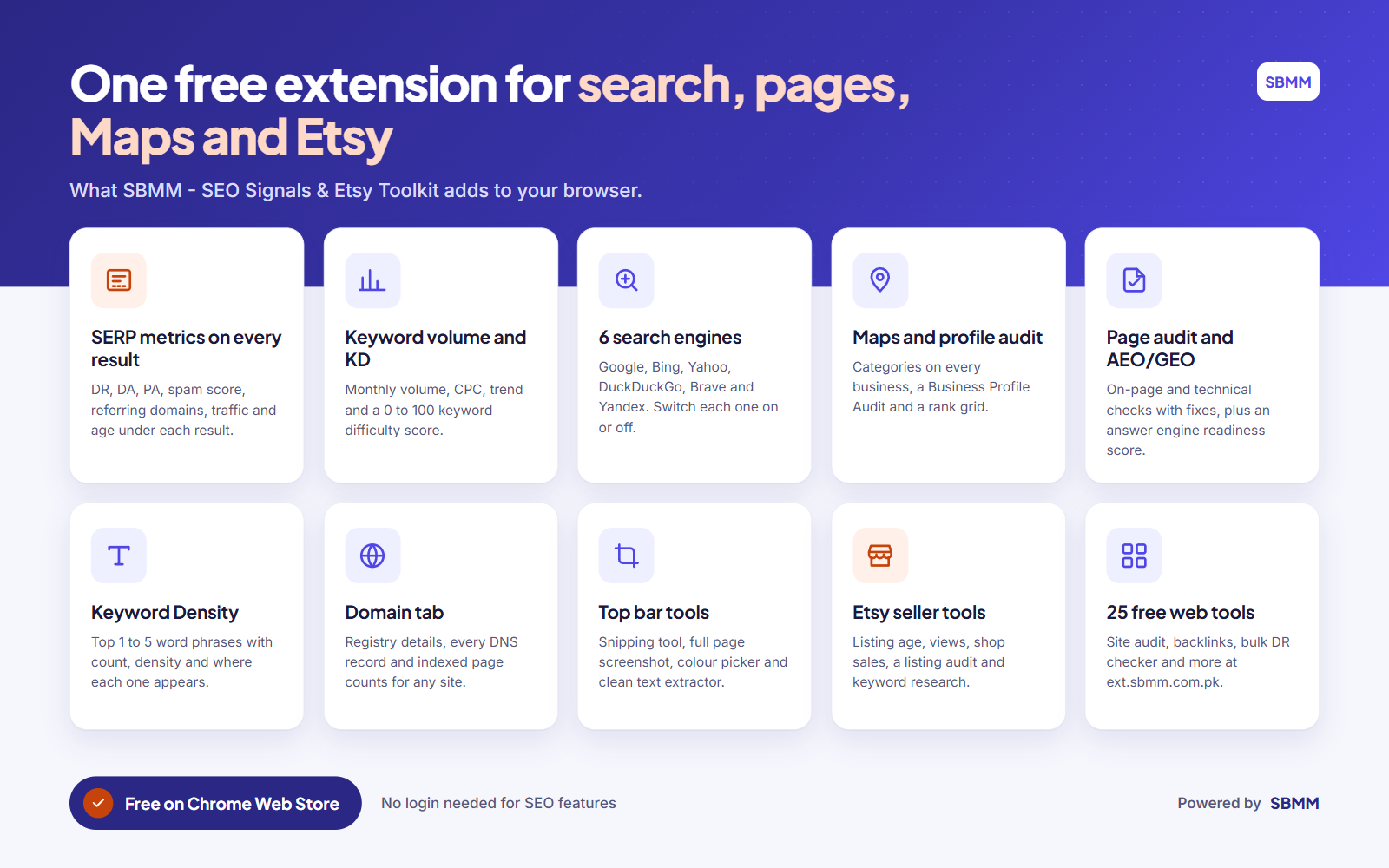
Key features
On search results (Google, Bing, Yahoo, DuckDuckGo, Brave and Yandex)
- A small bar under every organic result with Domain Rating, Domain Authority, Page Authority, Spam Score, referring domains (split into dofollow and nofollow), backlinks, estimated monthly visits, domain age, global rank and ranking keywords.
- Colours that help you read fast: green for weak sites, yellow for middle, red for strong. Weak sites are marked as easy wins.
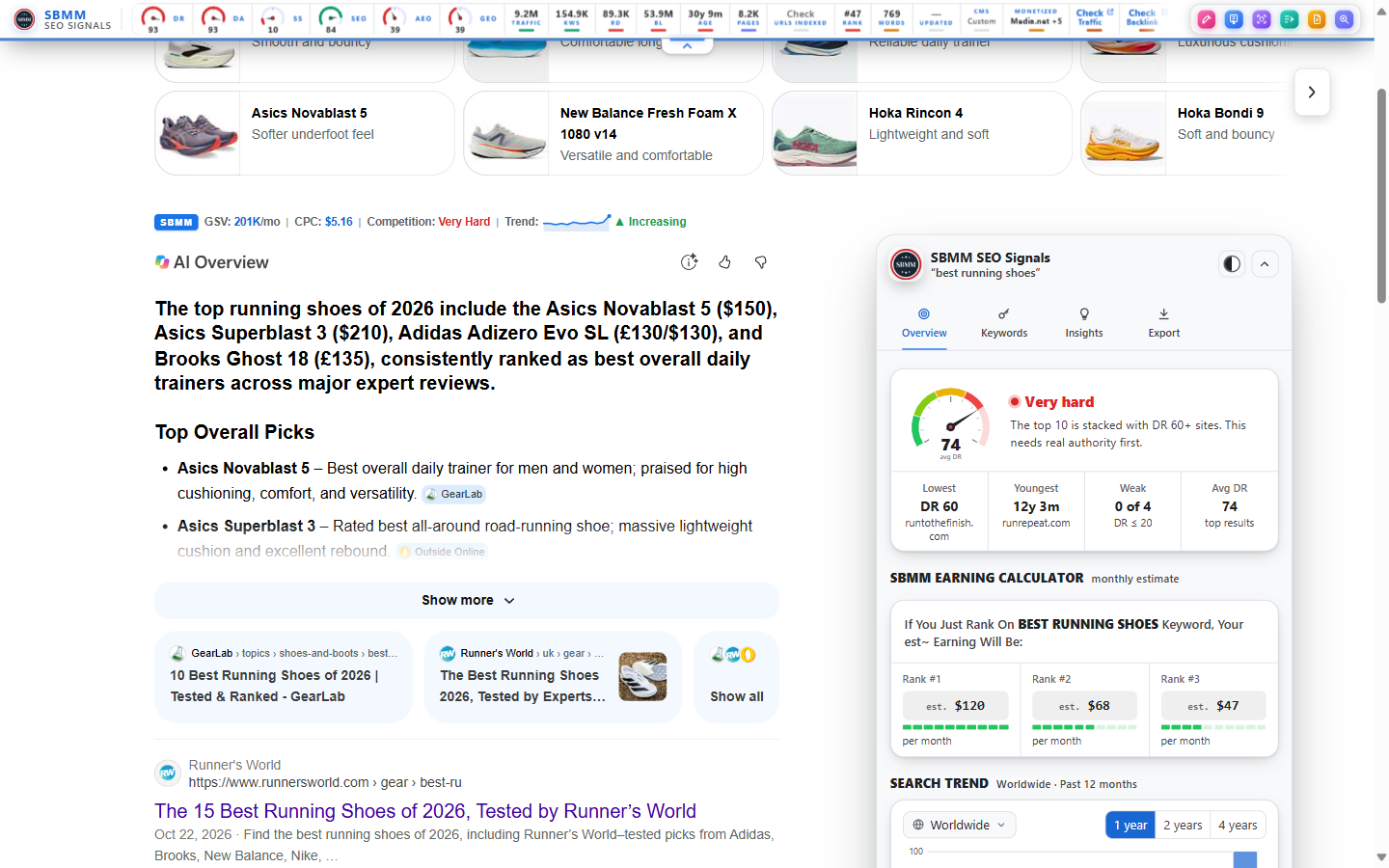
- A keyword line above the results with monthly volume, CPC, competition, a 12-month trend and Google’s result count.
- Keyword Difficulty by SBMM: a 0 to 100 score for the top 10, split into off-page and on-page parts. It spots brand searches, and it also works on page 2 and beyond.
- A sidebar with the weakest and youngest sites in the top 10, related searches, questions, long-tail ideas, Search Trend bars and estimated earnings if you rank in the top 3.
- Search as if you were in another country or language, with no VPN, and export results to CSV, JSON or Markdown.
New to these numbers? Our short guides explain what Domain Rating (DR) means and how to check keyword difficulty for free.
Google Maps and local SEO
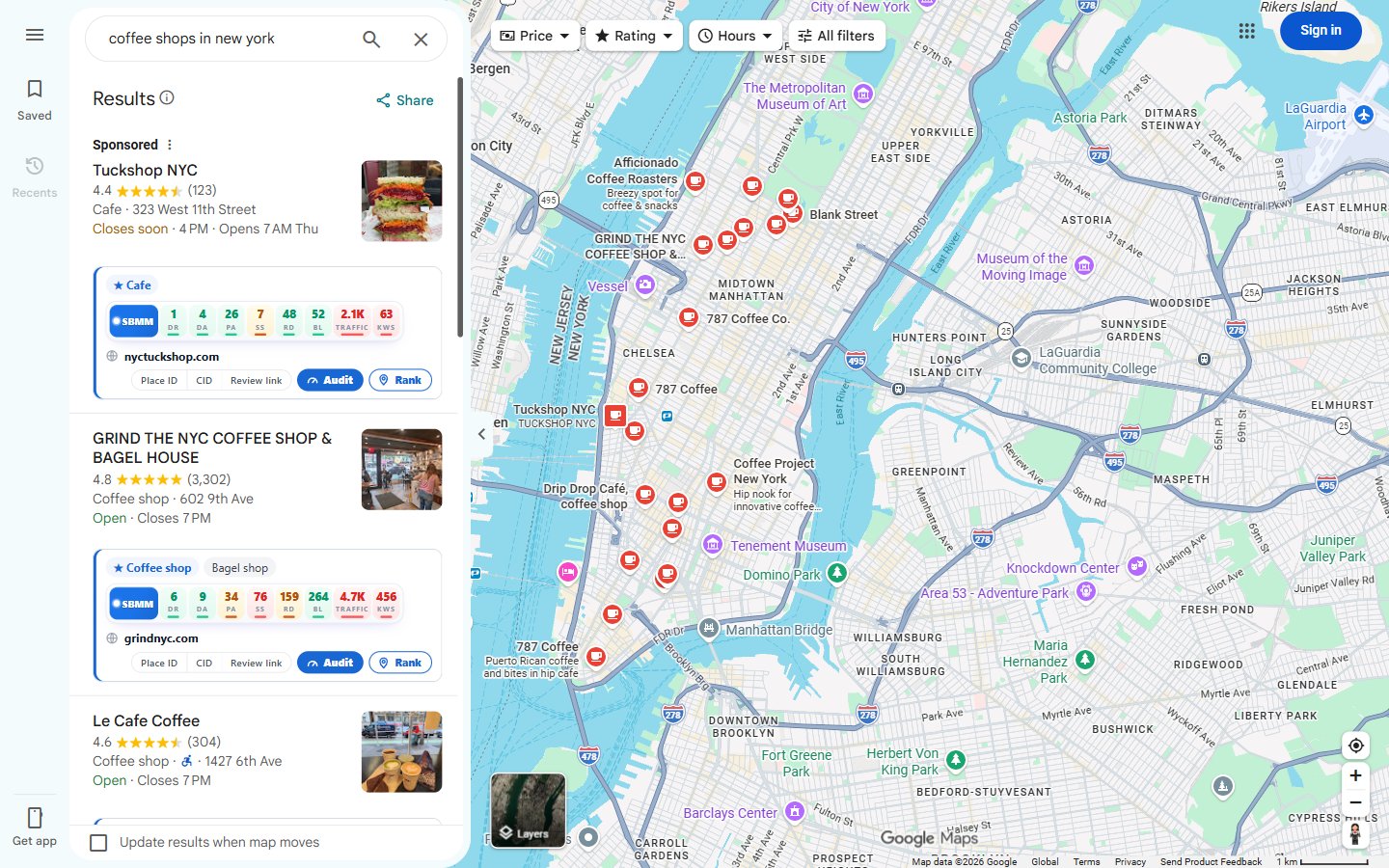
- A row on each business in Maps and in the Google local pack: main and extra categories, website strength, and one-click copy of the Place ID, CID and review link.
- A Business Profile Audit with an overall score, website vs profile checks, schema, category ideas, a competitor gap and review themes. See our Google Business Profile audit guide.
- A rank check map grid (up to 13×13) with average rank and top-3 count, plus a Rank button on each business.
Try it on a search like “coffee shops in new york”. You see the categories every top shop uses, and which ones you are missing.
Audit of any page (popup or side panel)
- An overview with authority, links, traffic, age, a 12-point health check and SEO, AEO and GEO meters, plus a full audit report you can save as PDF.
- On-Page SEO and Technical SEO analyzers with scores, evidence and fixes, a snippet preview and an hreflang check.
- An AEO / GEO Analyzer that shows how ready a page is to be quoted by answer engines, across 5 areas, with fixes in order. It is a readiness checklist, not a ranking promise. Learn more in what AEO and GEO are.
- A Keyword Density tab with the top 1 to 5 word phrases, their count and density, and where each one also appears (title, description, headings, URL).
- A Domain tab with registration details (registrar, created, expiry, name servers), all DNS records, indexed page counts and other sites that use the same AdSense account.
- An Internal Link Finder and Internal Link Graph that shows orphan and weakly linked pages. This pairs well with our guides on click depth and silo structure.
- Keyword Ideas: one seed keyword turns into hundreds of ideas grouped by intent and topic.
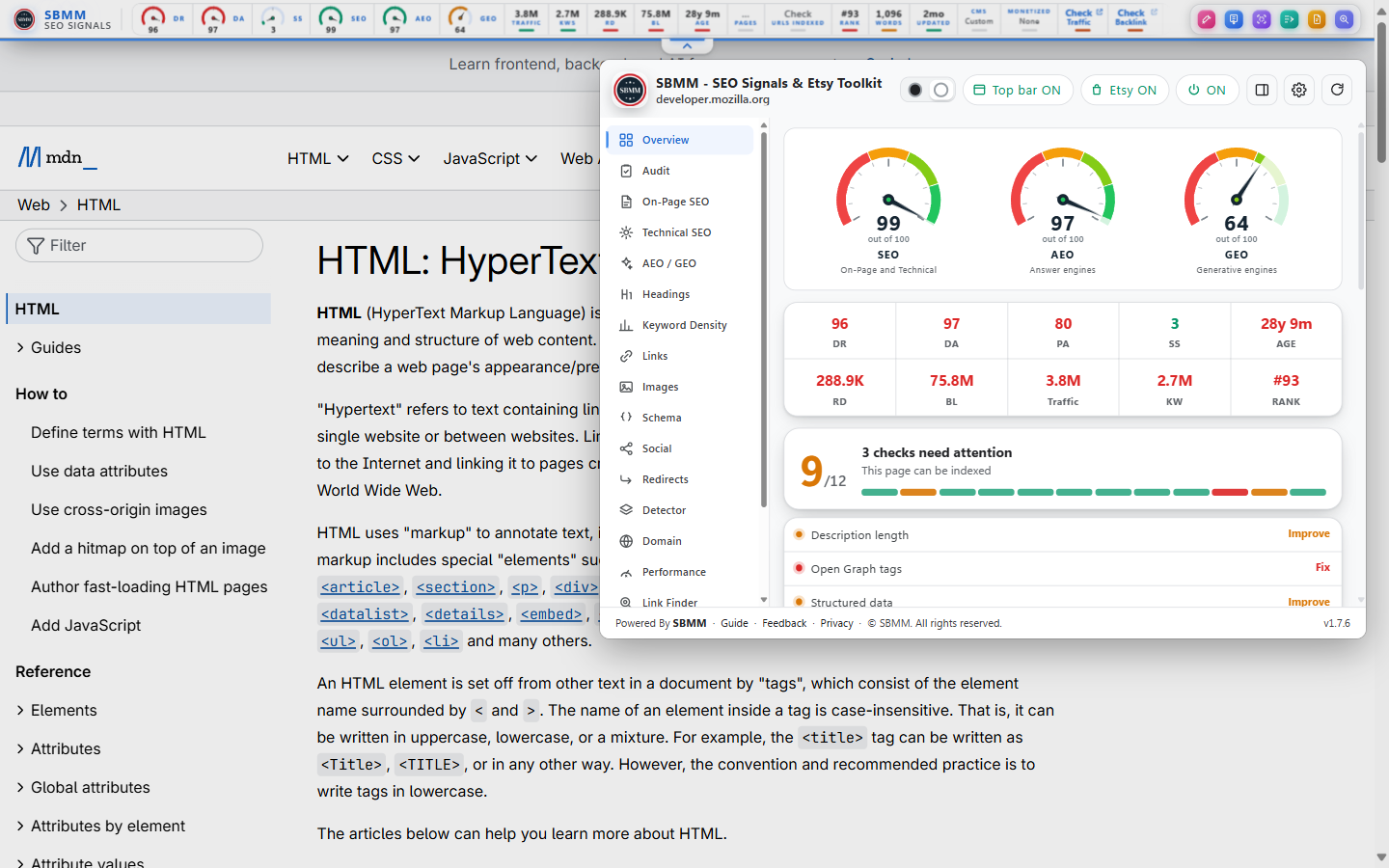
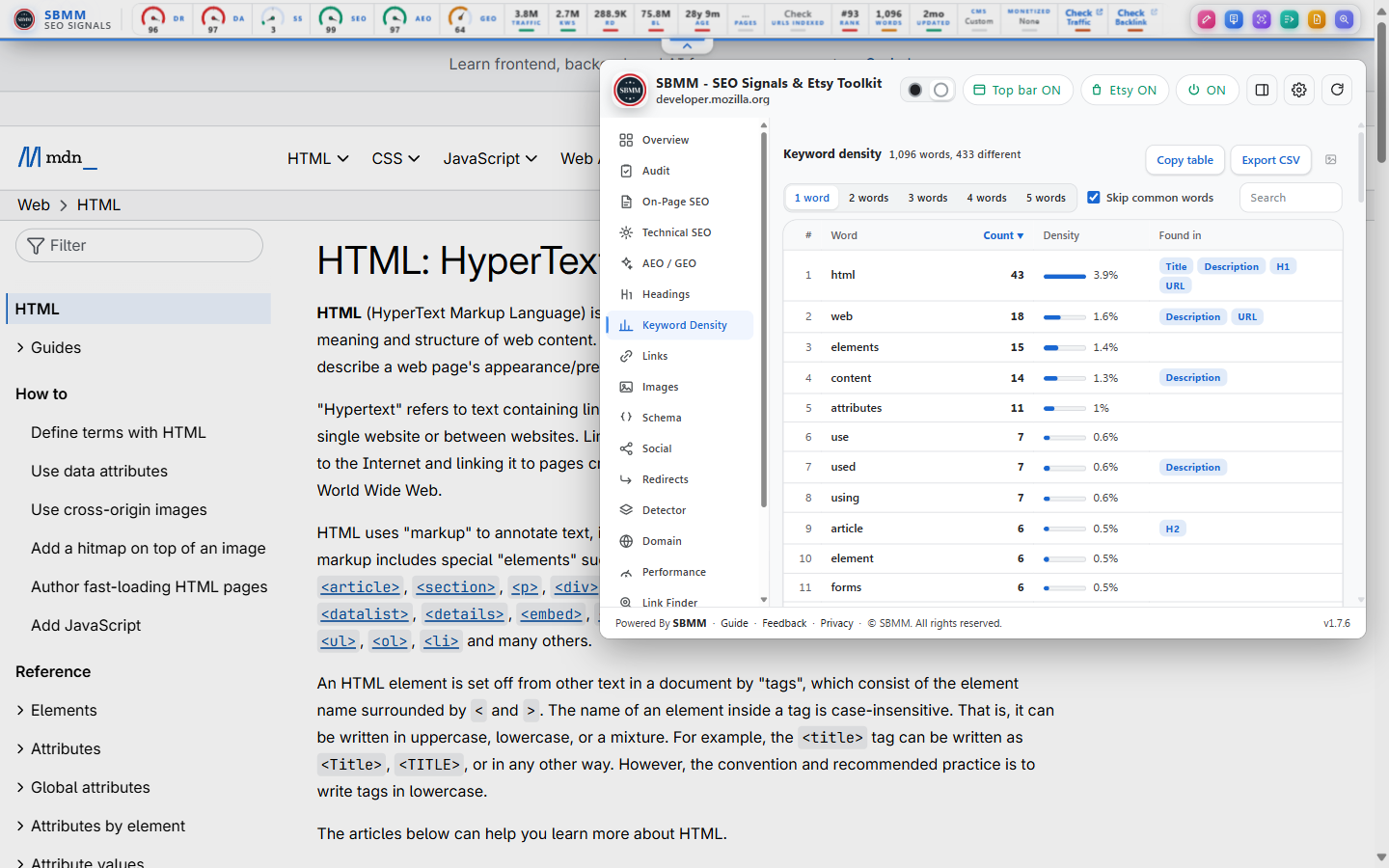
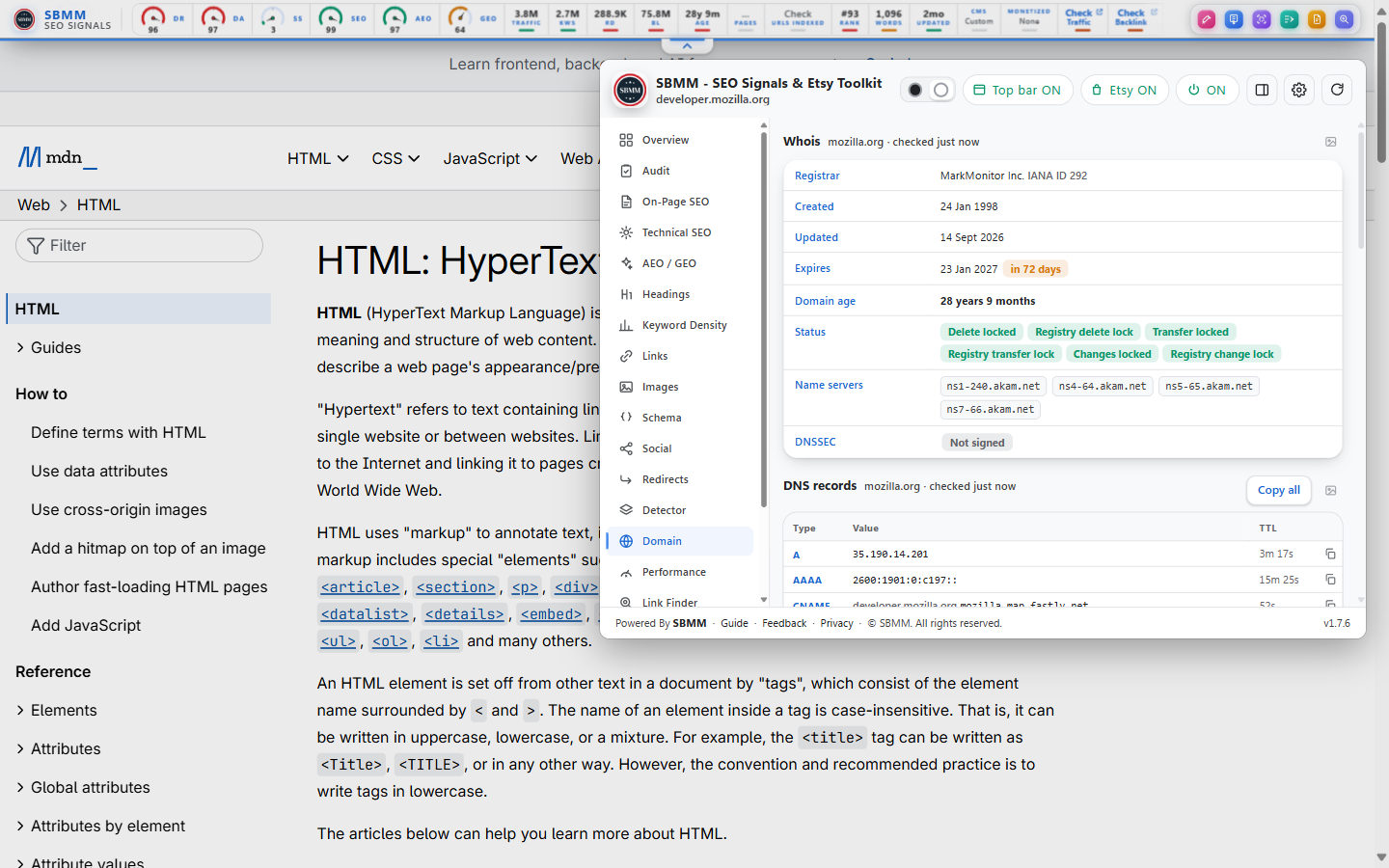
Top bar on every site (you can turn it off)
- Site signals, word count, CMS, indexed pages and SEO, AEO and GEO scores, plus a snipping tool, full page screenshot, colour picker and clean text extractor.
Etsy seller tools (free account)
- Listing age, views, shop sales and estimated sales in Etsy search, a listing audit with a tag report, and keyword research. See free Etsy seller tools.
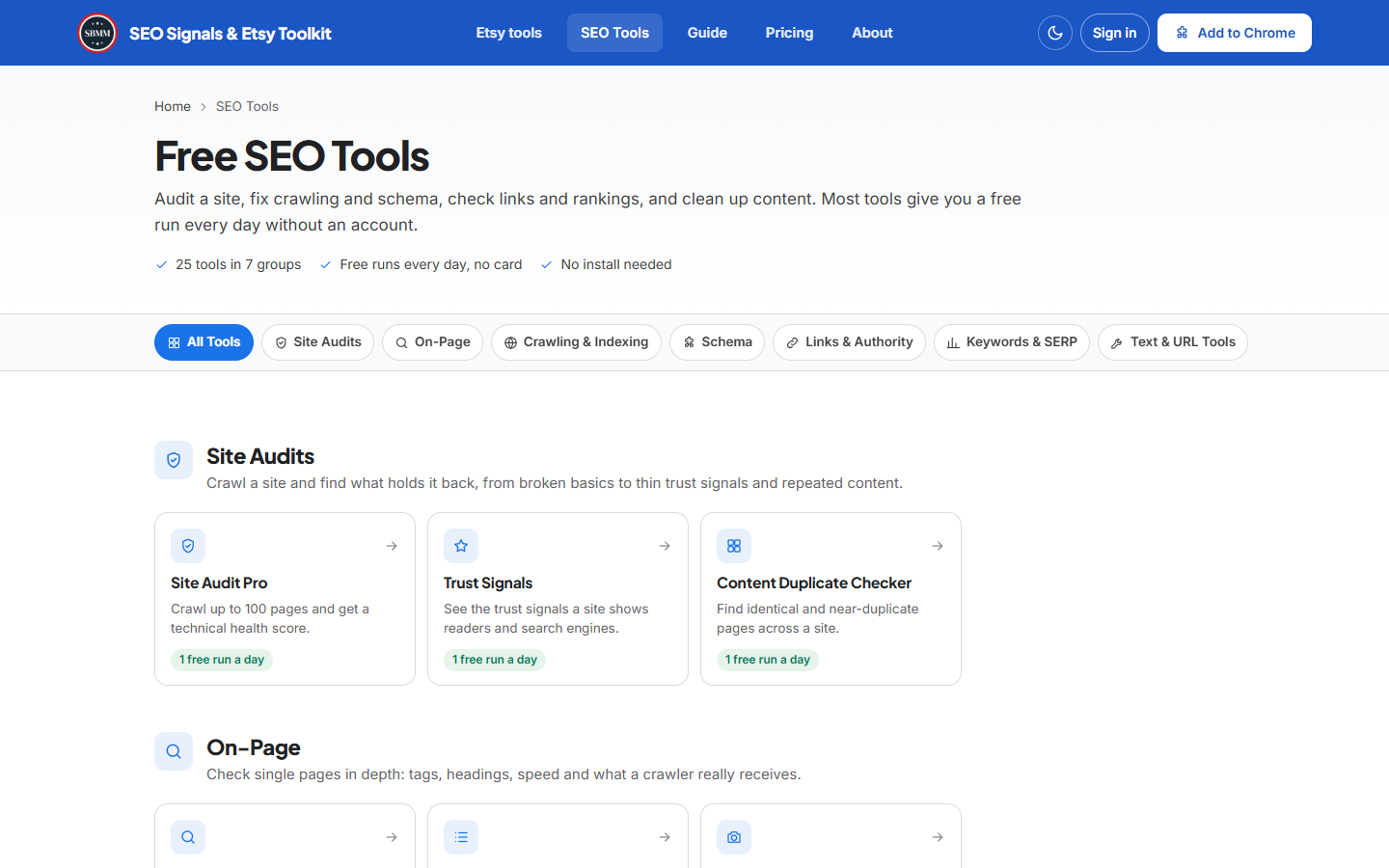
25 free web tools
On the website you also get free online SEO tools: 25 in total, including a site audit, a backlink checker and a bulk DR, DA, PA and spam score checker for up to 10 domains. Guests get one free run a day of most tools, and 7 simple tools are unlimited.
A quick way to use it
Search your keyword on Google. Look at the Keyword Difficulty score first. Then scan page 1 for green bars: sites with low DR and few referring domains that still rank. If you see two or three of them, the keyword is worth a try. Open one of those pages, run the audit, and look at its headings and Keyword Density. Now you know what you need to beat.
Pros
- Free with no login: authority, referring domains, volume and keyword difficulty on every result. The big-brand toolbars put this behind a paid plan.
- The widest scope in one extension: 6 search engines, Maps with a rank grid, Etsy, a full page audit with AEO and GEO checks, a Domain tab and everyday tools.
- The highest rating in this list, active updates and no ads, analytics or trackers, per the store listing. Page content is never sent to the server.
Cons
- Newer, with far fewer users (10,000+) and reviews than the big names.
- Daily fair-use limits on lookups. Etsy tools and some site tools need a free account.
- Metrics are estimates, the interface is English only, and there is a lot in it at first. Use the Settings switches to turn off what you do not need.
Pricing
The extension is free, forever, with a fair-use daily limit. If you want higher limits, you can pick a monthly contribution plan. These plans help keep the free version running for everyone. You can cancel any time.
- Free: $0
- Contributor Pro: $2 a month
- Contributor Ultra: $3 a month
- Contributor Max: $5 a month
Higher plans raise the daily limits on site SEO tools (5, 20, 40 and 120 runs a day), on Etsy keyword research and on connected Etsy shops. See the contributor plans.
Who it’s for
Bloggers, freelancers, local SEO workers and small agencies who want SERP authority, keyword difficulty, local SEO and page audits without a monthly subscription. It is also a good first extension for SEO learners.
Links
- Chrome Web Store: SBMM – SEO Signals & Etsy Toolkit
- Download the SBMM extension for Chrome
- All extension features
- How to install and pin the extension
The term “Etsy” is a trademark of Etsy, Inc. This application uses the Etsy API but is not endorsed or certified by Etsy, Inc.
2. Ahrefs SEO Toolbar: best for backlink checks
Ahrefs SEO Toolbar is the official Ahrefs extension. Its free side is a good on-page, link and redirect checker. The link and traffic data on every page opens up only with a paid Ahrefs plan.
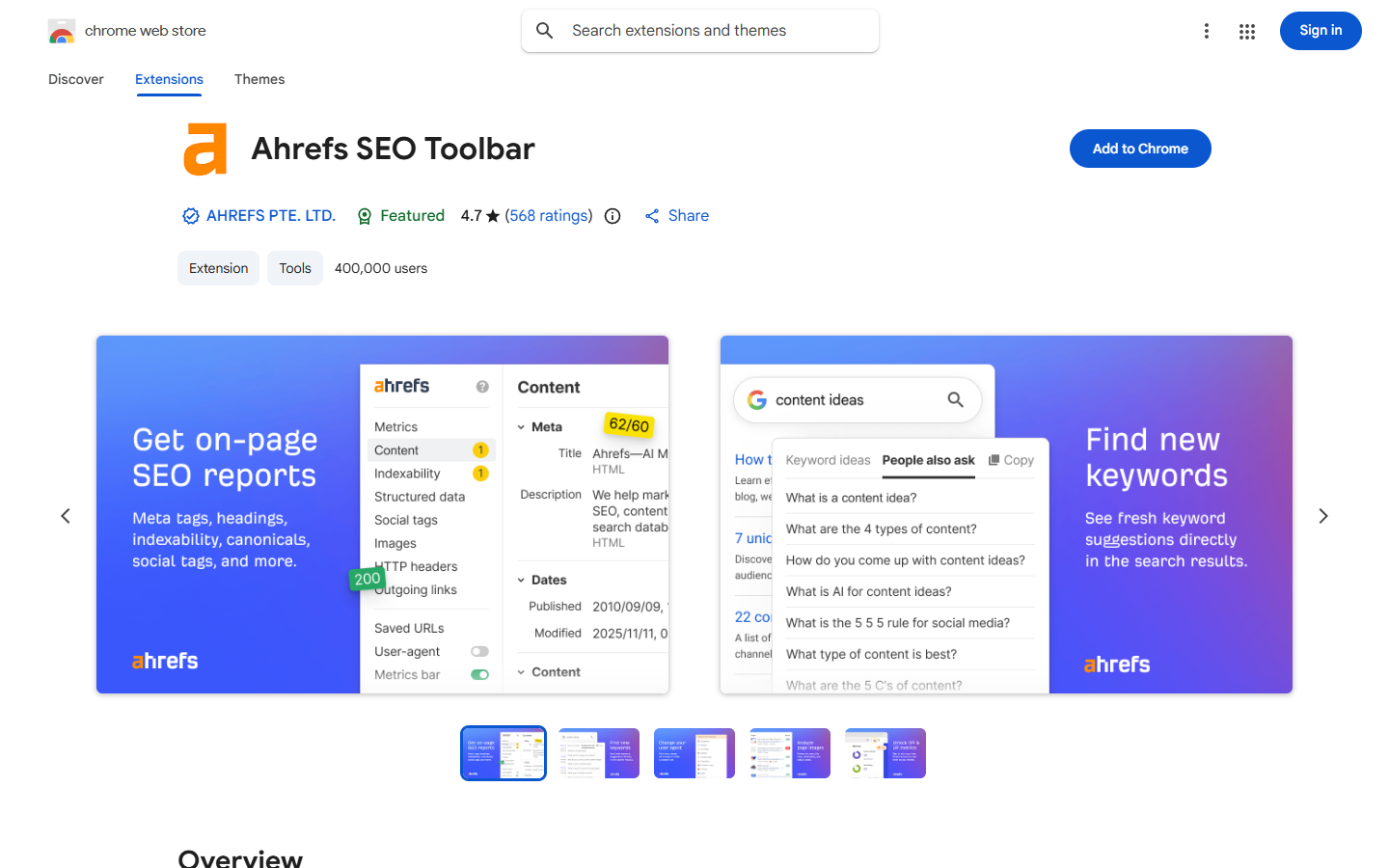
Quick facts: 400,000 users · 4.7 rating from 568 ratings · version 3.2.15, updated 10 November 2026.
Key features
- On-page check: title, meta, headings, word count, canonical, robots and hreflang.
- Link highlighter, broken link check and CSV export.
- Redirect chain tracer (including JavaScript redirects) and HTTP headers.
- User agent switcher, and Google results by country and language.
- DR and UR with a free sign-in.
Pros
- The best-known brand for link data.
- Solid free on-page and redirect tools.
- Updated often, with a strong 4.7 rating.
Cons
- The useful SERP metrics need a paid plan, and DR needs a sign-in.
- Little keyword volume for free users.
Pricing
On-page tools are free. DR and UR are free with a sign-in. Backlinks, referring domains, traffic and SERP metrics need a paid plan: Starter $29 a month, Lite $129, Standard $249, Advanced $449, Enterprise on request. Yearly billing saves up to 17%.
Who it’s for
People who already pay for Ahrefs and want that data on every page and search.
Links
Chrome Web Store · Official site
3. Detailed SEO Extension: best free on-page checker
Detailed SEO Extension gives you a clean one-click summary of any page. It is 100% free, and the store now lists Ahrefs as the publisher. It shows no authority, traffic or volume numbers, so it is a checker, not a research tool.
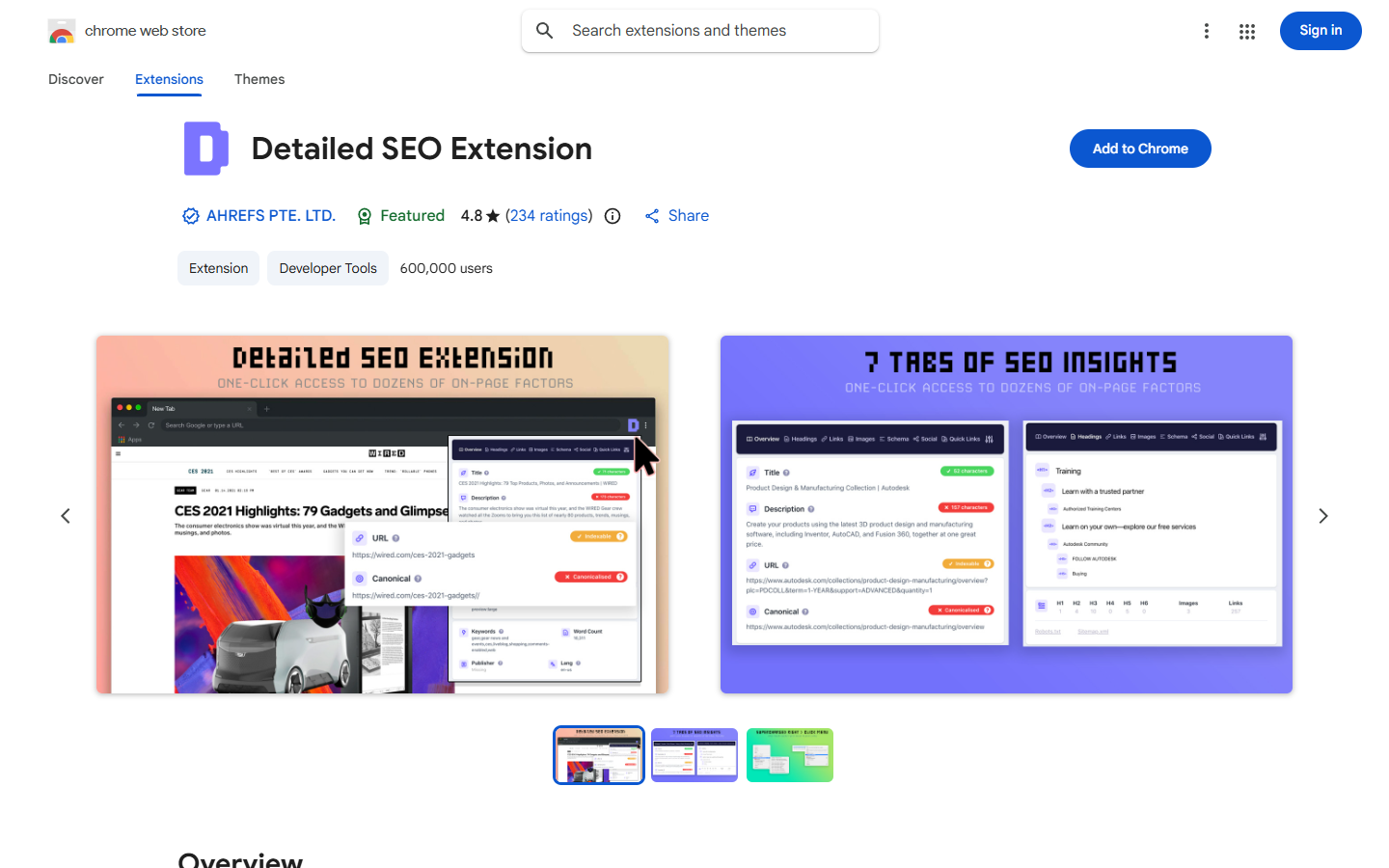
Quick facts: 600,000 users · 4.8 rating from 234 ratings · version 2.2.7, updated 2 June 2026.
Key features
- Overview: title, meta, robots, canonical, X-Robots header and sitemap link.
- Headings, links (nofollow and sponsored) and image export to CSV.
- Schema and hreflang view.
- People Also Ask extraction and a user agent switch.
Pros
- Completely free and fast.
- A clear, clean one-click summary.
Cons
- No authority, traffic or volume numbers, and nothing on the search page itself.
- Last updated in June 2026, so releases are slower.
Pricing
Free. Detailed calls it “100% free” with no paid tiers. It seems to work without an account, as far as the listing shows.
Who it’s for
Anyone who wants a quick on-page check of a URL. If you are working on modern on-page SEO strategies, it is a handy second tool.
Links
Chrome Web Store · Official site
4. SEOquake: best for free SERP metrics with Semrush
SEOquake is a long-running free extension from Semrush. It adds metrics under Google results and has an on-page audit, keyword density and a compare tool. It shows a lot without an account, but deeper numbers lead you to Semrush.
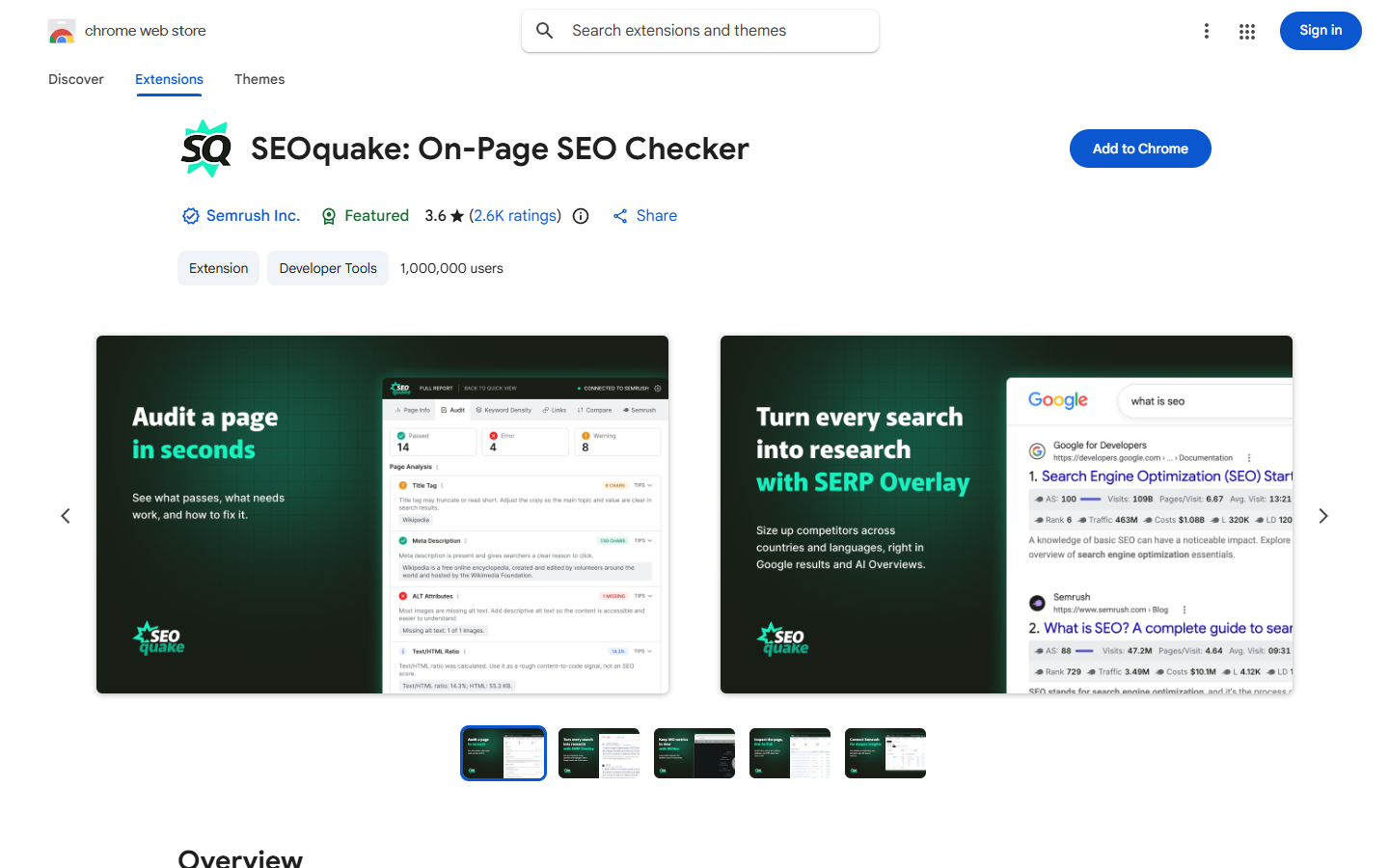
Quick facts: SEOquake has about 1 million users and a 3.6 rating from 2.6K ratings on the Chrome Web Store as of November 2026 (version 4.3.3, updated 11 November 2026).
Key features
- A SERP overlay with metrics under Google results, plus the SEObar on any page.
- On-page Quick View and page audit (robots, hreflang, sitemaps, alt text, schema) with PDF export.
- Link analysis and keyword density for 1 to 4 word phrases.
- Compare URLs and domains side by side, with CSV export.
Pros
- Many free metrics with no account.
- Keyword density, audit and SERP overlay in one place.
Cons
- A busy, dated interface (3.6 rating).
- Deeper data pushes you toward Semrush. Users also say the overlay can slow pages; we did not test this.
Pricing
The extension is free. A free Semrush account adds Authority Score, referring domains and traffic (10 reports a day). Semrush paid plans start at $139 a month (SEO), then $199 (Starter) and $299 (Pro+), with lower prices on yearly billing.
Who it’s for
Semrush users, and anyone who wants free SERP metrics without signing up.
Links
Chrome Web Store · Official site (now redirects to a Backlinko page)
5. Keywords Everywhere: best for keyword volume
Keywords Everywhere shows search volume, CPC and competition right where you search, on Google and 15+ other sites. The real numbers need paid credits, and plans are billed yearly only.
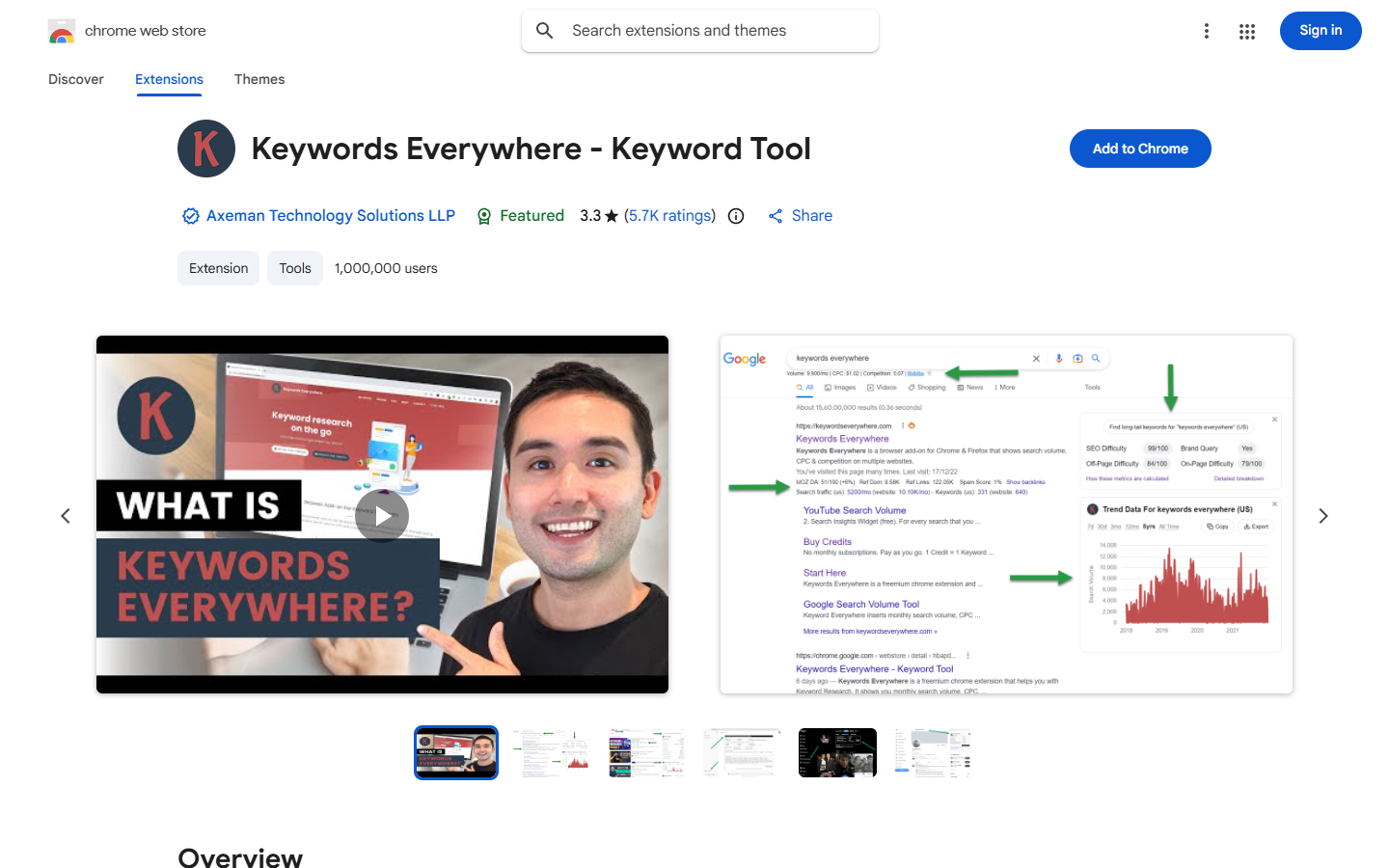
Quick facts: 1,000,000+ users · 3.3 rating from 5.7K ratings · version 11.56, updated 25 October 2026.
Key features
- Volume, CPC, competition and a 12-month trend on Google and 15+ sites (paid).
- Related keywords, “People also search for” and long-tail widgets.
- Traffic and top keywords for a URL, plus link metrics like DA and referring domains.
- Metrics on YouTube, Maps, Instagram and Pinterest.
Pros
- Volume on many sites, not just Google.
- A low entry price and a long feature list.
Cons
- Real numbers need paid credits, billed yearly only.
- A 3.3 rating, with many complaints about the move to paid, and a busy screen.
Pricing
Yearly credit plans: Bronze $7 a month ($84 a year, 100,000 credits), Silver $14 a month ($168 a year), Gold $40 a month ($480 a year) and Platinum $120 a month ($1,440 a year). Credits expire after one year. Without credits you see keyword lists, but no volume, CPC or competition.
Who it’s for
People who want volume while they browse and are fine paying a small yearly fee.
Links
Chrome Web Store · Official site
6. Similarweb: best for traffic estimates
Similarweb is the best-known name for website traffic estimates. Click the icon on any site and you see visits, traffic sources and top countries. It does one job, and it does it in a very readable way.
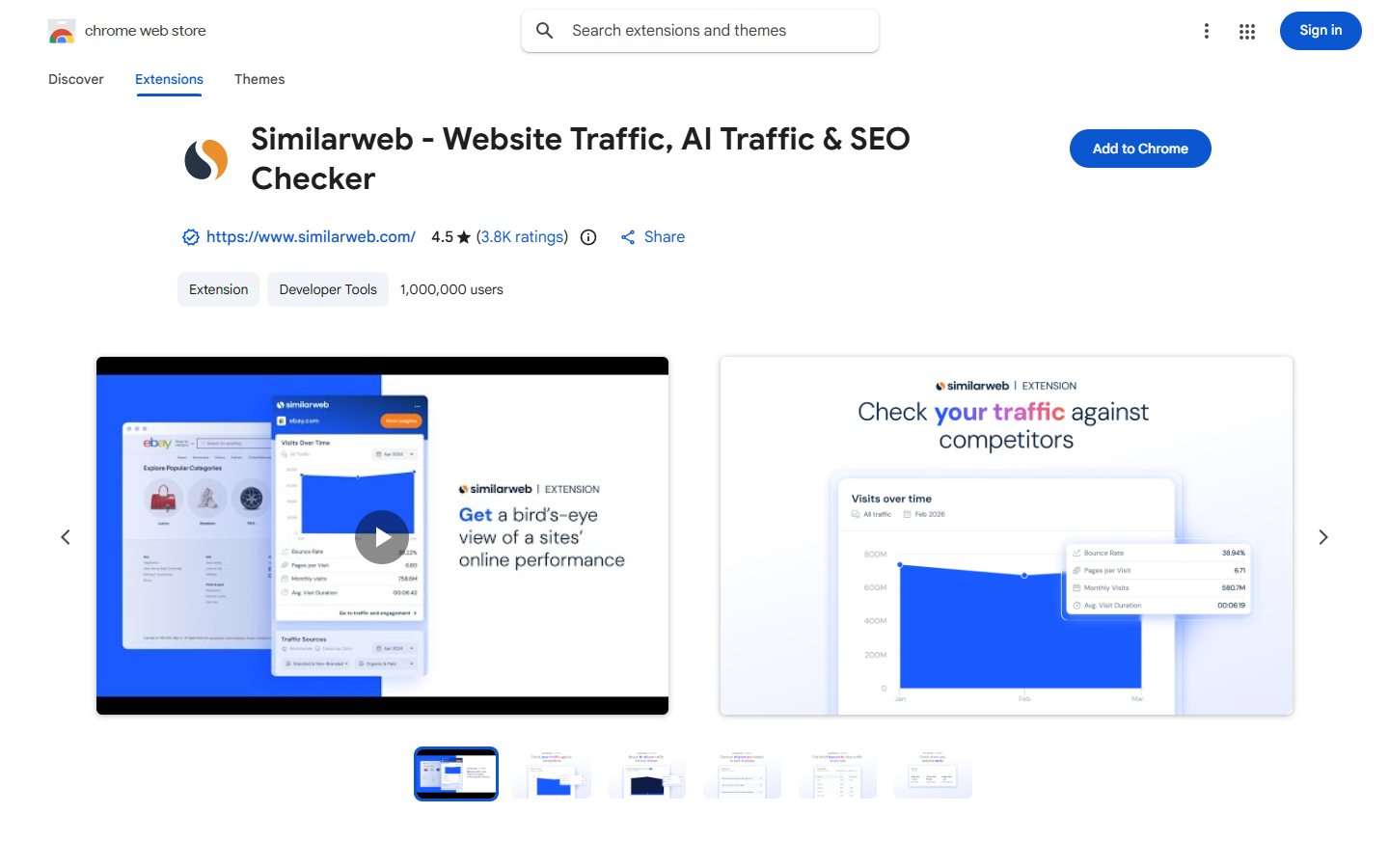
Quick facts: 1,000,000 users · 4.5 rating from 3.8K ratings · version 6.12.26, updated 19 October 2026.
Key features
- Monthly visits, visit duration, pages per visit and bounce rate.
- Global, country and category rank.
- Traffic by country and by source (direct, search, social, referral, mail, display).
- Top keywords with CPC, plus AI chatbot traffic.
Pros
- The most widely known traffic estimates.
- Very easy to read, and free for the basics.
Cons
- Traffic only: no on-page audit and no SERP overlay.
- You must accept anonymous clickstream data sharing first. Users also report that small sites often show no data.
Pricing
The extension is free. The full platform has a 7-day free trial, but the official pricing page shows no public prices, so you need to contact sales.
Who it’s for
Anyone who wants a quick traffic check of a website, for example before buying a site or pitching a client.
Links
Chrome Web Store · Official site
7. MozBar: best for DA and PA reporting
MozBar is the classic Moz toolbar. It shows Domain Authority and Page Authority on any page and on search results. The version 5 changes hurt its rating a lot.
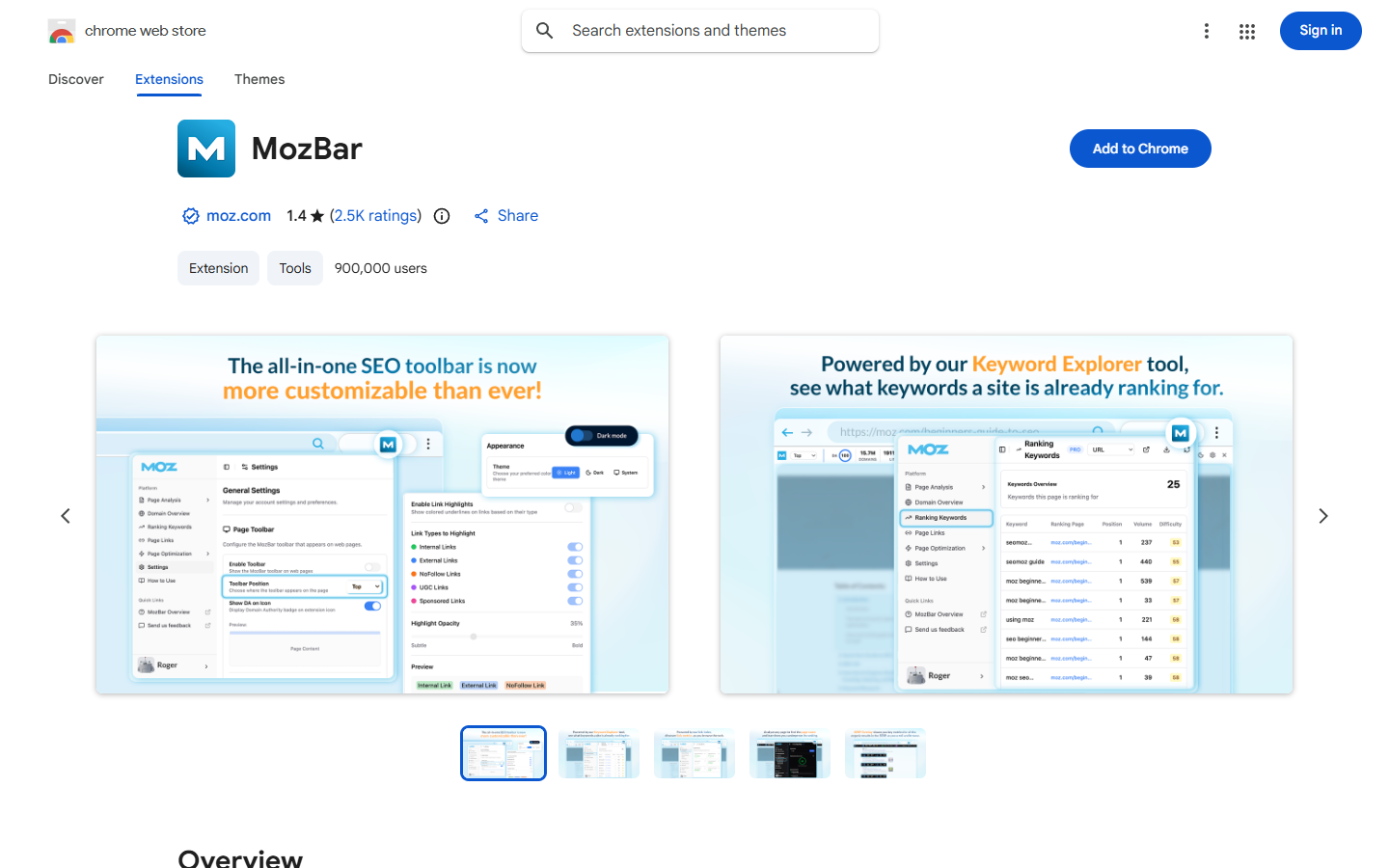
Quick facts: MozBar has about 900,000 users and a 1.4 rating from 2.5K ratings on the Chrome Web Store as of November 2026 (version 5.0.17, updated 20 September 2026).
Key features
- DA, PA and Brand Authority on any page.
- Link highlighter for followed, nofollow, internal and external links.
- Schema, hreflang, robots.txt and sitemap checks.
- SERP metrics with CSV export, and a Page Optimization score (Pro).
Pros
- DA and PA are widely used in client reports.
- A free account gives DA and PA on the SERP.
Cons
- A 1.4 rating, with many reviews about the v5 changes and logins.
- You need an account even for DA, and most useful data needs Moz Pro.
Pricing
Guest use is free for on-page elements. A free Moz account adds DA and PA. Moz Pro unlocks Spam Score, Page Optimization and more. Third-party sources list Moz Pro from about $49 a month; we could not load moz.com to confirm this.
Who it’s for
Moz Pro users and teams that report in DA.
Links
Chrome Web Store · Official site
8. AITDK SEO Extension: best for a quick site overview
AITDK puts many tabs in one panel: traffic, Whois, keyword density, on-page checks and indexed pages. Backlinks and reverse AdSense cost credits, and the free plan has only 30 a month.
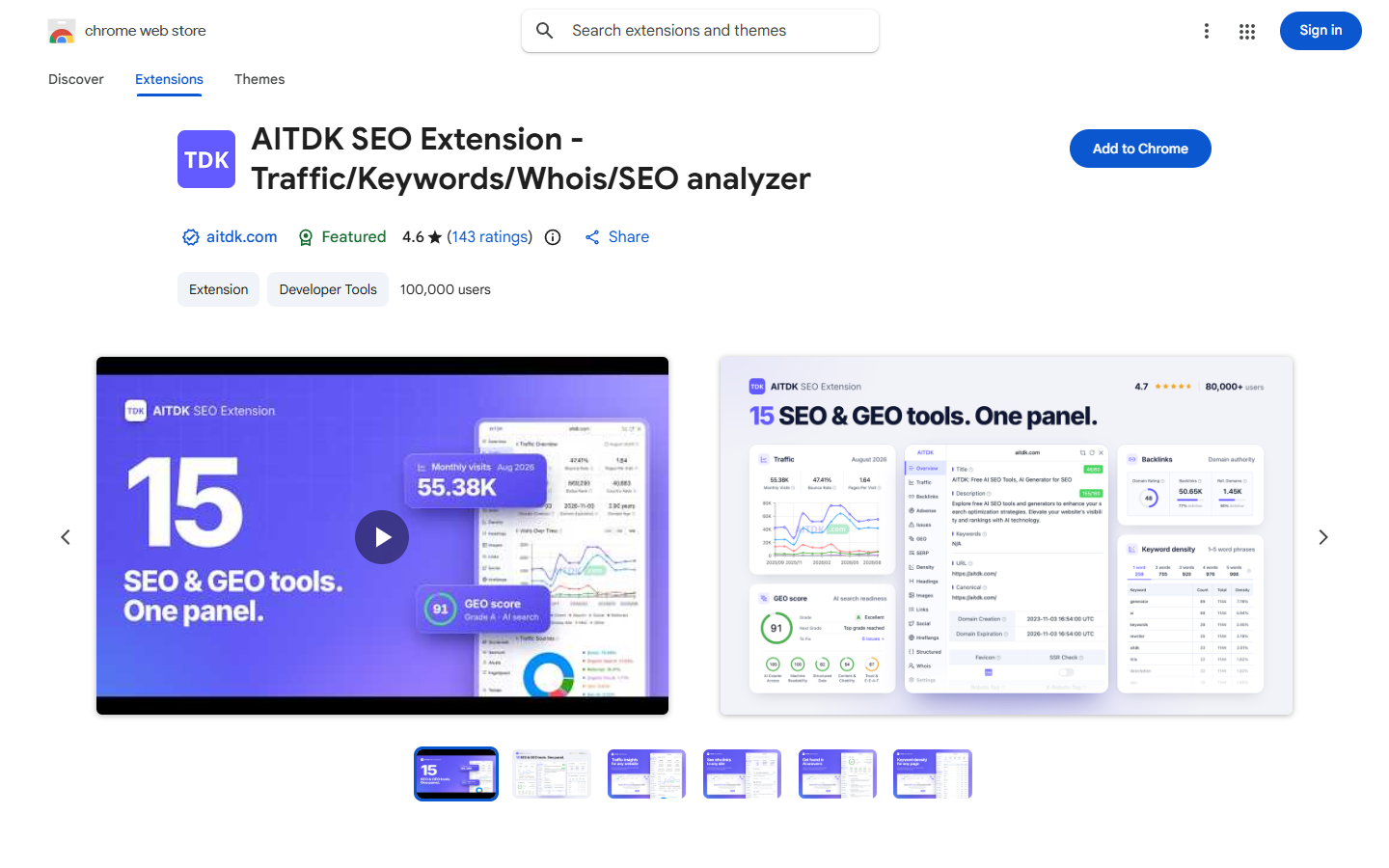
Quick facts: 100,000 users · 4.6 rating from 143 ratings · version 3.0.0, updated 19 October 2026.
Key features
- Traffic overview with visits, sources (including AI traffic), countries and top keywords.
- Whois, domain age and DNS.
- Keyword density, on-page analysis and indexed pages on several engines.
- Backlinks and reverse AdSense (1 credit each).
Pros
- Many tabs in one place, including AI traffic.
- Low paid price.
Cons
- Free credits run out fast.
- The panel loads from the developer’s website, so it needs a connection, can change without a store review and shows upsells.
Pricing
Free with 30 credits a month. Starter is $10 a month or $100 a year (about 600 credits a month). Pro is $20 a month or $200 a year (about 2,000 credits a month).
Who it’s for
People who want a quick all-round look at a site’s traffic and setup.
Links
Chrome Web Store · Official site
9. SEO Minion: best for technical checks
SEO Minion is a free toolbox for technical jobs like hreflang, broken links and SERP previews. It needs no account. A recent 4.0 rebuild dropped its rating sharply, and its site now redirects to Keywords Everywhere.
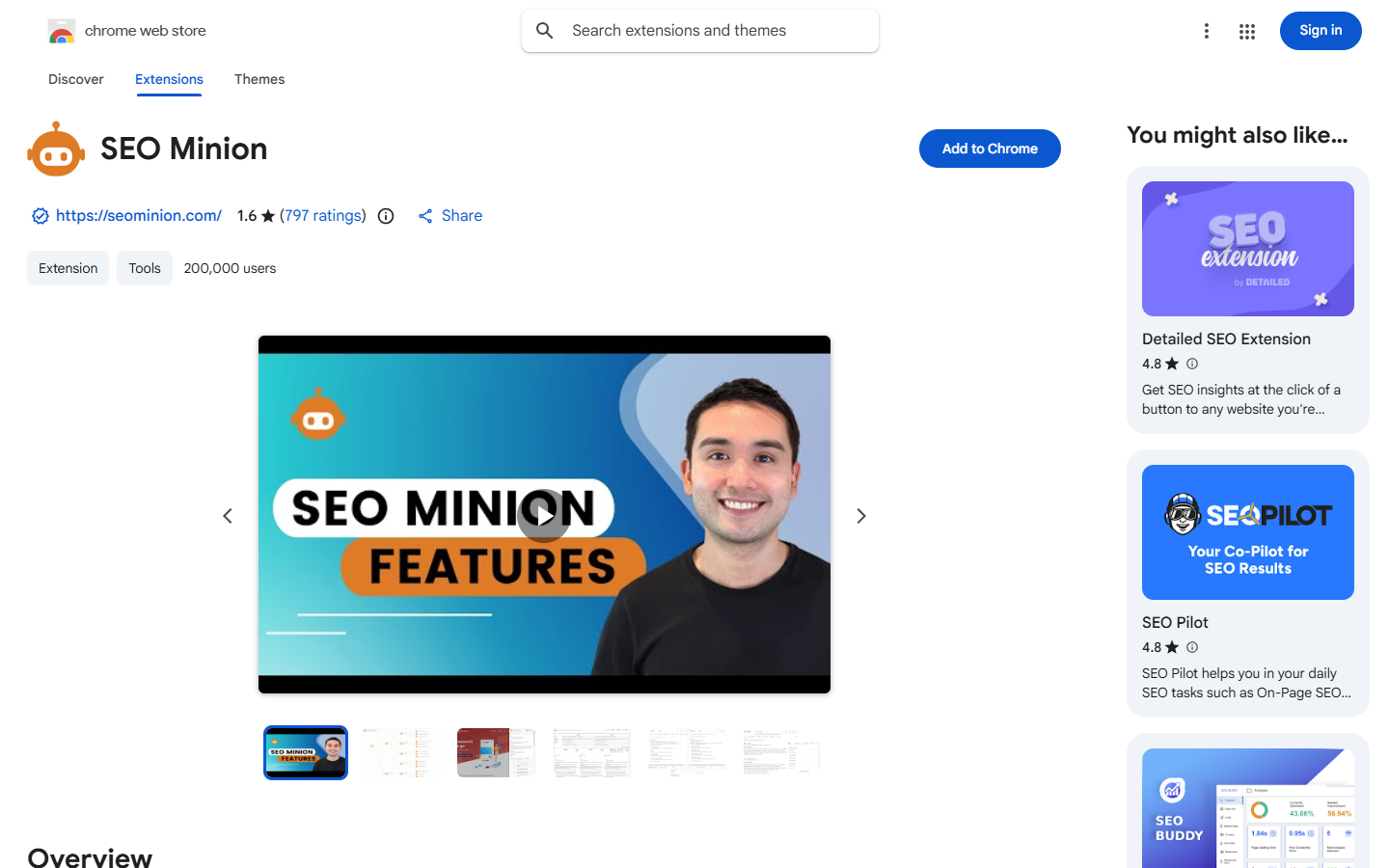
Quick facts: 200,000 users · 1.6 rating from 797 ratings · version 4.0.0, updated 7 November 2026.
Key features
- On-page analysis, broken link check and redirect check.
- SERP preview with editable title, description and date.
- Multi-location SERP: two locations side by side.
- Hreflang checker, structured data check and bulk check of up to 200 URLs.
Pros
- Free with no login.
- Unique tools like multi-location SERP, and good for hreflang work.
Cons
- The 4.0 rebuild dropped the rating to 1.6.
- No authority or volume metrics, and nothing on the SERP by default.
Pricing
Free, with no account or API key needed.
Who it’s for
Technical SEO work: hreflang, broken links and testing how a title looks in Google.
Links
Chrome Web Store · Official site
10. Redirect Path: best for redirects and status codes
Redirect Path from Ayima does one thing well. It flags redirects and status codes on every page you load, with no clicks. It runs locally and sends no data out.
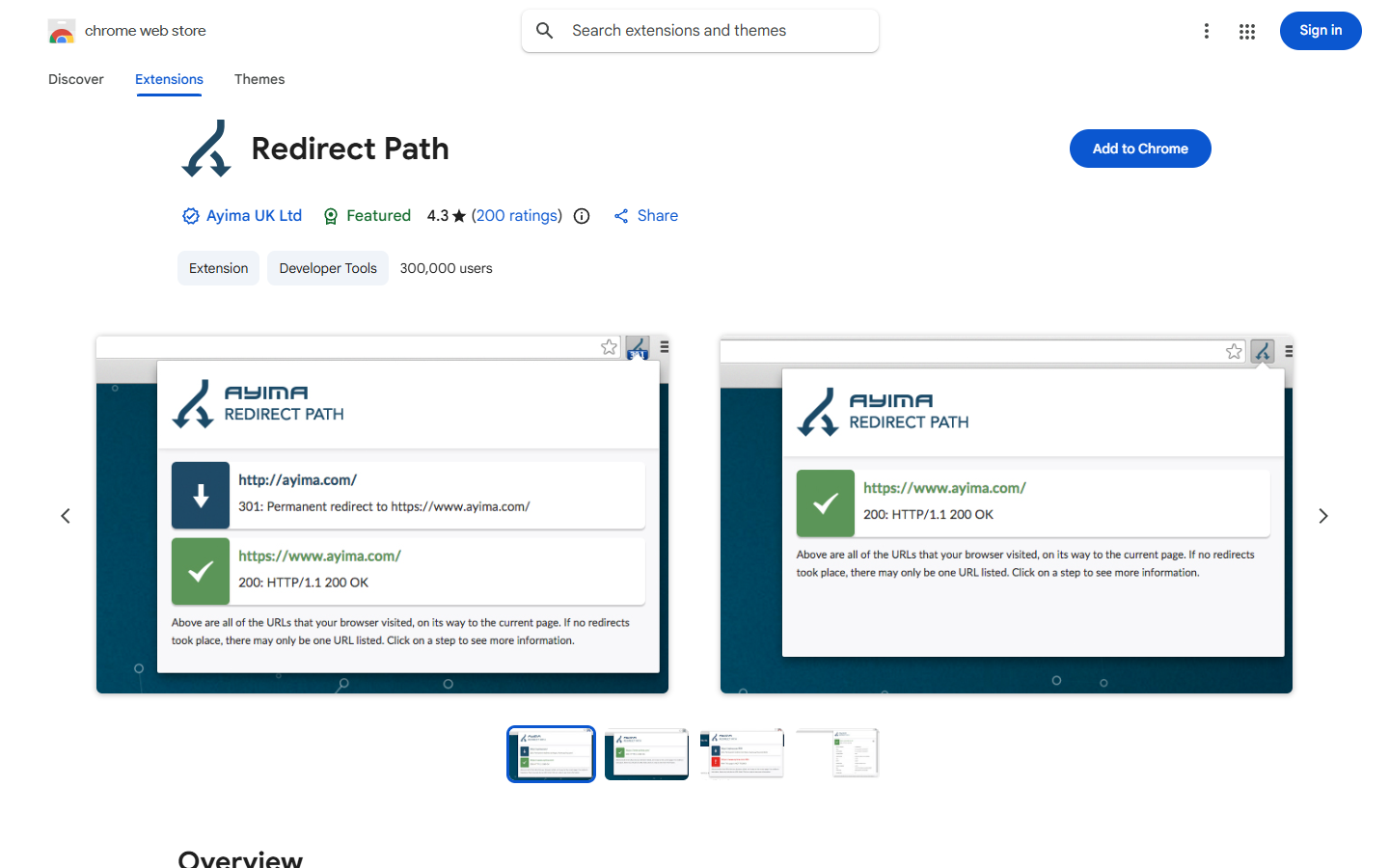
Quick facts: 300,000 users · 4.3 rating from 200 ratings · version 4.0.0, updated 14 May 2026.
Key features
- Flags 301, 302, 404 and 500 codes on every page load.
- Catches meta and JavaScript redirects.
- Shows HTTP headers (server, caching) and the server IP.
Pros
- Does one job very well, always on.
- Private, since it runs locally.
Cons
- Redirects and headers only, with few updates.
- We could not confirm an export or bulk mode on the store page.
Pricing
Free.
Who it’s for
Anyone fixing site migrations, redirect chains or broken pages.
Links
Chrome Web Store · Official site
How to choose the right SEO extension
Start with the job you do most. Then pick one main tool and one helper. More than three SEO extensions at once is usually clutter.
- You want to know if a keyword is beatable, for free: SBMM. You get DR, DA, referring domains and keyword difficulty on page 1 with no login.
- You already pay for Ahrefs, Semrush or Moz: use their own toolbar (Ahrefs SEO Toolbar, SEOquake or MozBar) so your paid data shows in the browser.
- You only need an on-page check: Detailed SEO Extension or SBMM’s page audit.
- You need volume on YouTube, Amazon or Pinterest: Keywords Everywhere, if a yearly fee is fine.
- You want traffic and audience data: Similarweb, with SBMM or AITDK as a second view.
- You do local SEO: SBMM, for categories on Maps, the Business Profile Audit and the rank grid. If you want to learn the full process, our local SEO course covers it.
- You fix technical issues: Redirect Path for status codes, plus SEO Minion for hreflang.
Before you install anything, check its permissions and last update date. Our SEO tactics guide is a good place to see how these tools fit into a full SEO plan.
Our verdict
If you want one free extension that covers most daily SEO work, start with SBMM – SEO Signals & Etsy Toolkit. It shows authority, referring domains, volume and keyword difficulty on every result, audits any page, and handles Maps and Etsy too, all with no login for SEO.
Add Ahrefs SEO Toolbar or SEOquake if you already pay for those platforms, Similarweb for traffic, and Redirect Path if you work on migrations. That small stack covers what most bloggers, freelancers and small agencies need.
Want to go further than tools? Our advanced SEO and AEO course teaches the full process behind the numbers.
Download the SBMM extension for Chrome
Frequently asked questions
What is the best free SEO Chrome extension?
SBMM – SEO Signals & Etsy Toolkit is the best free SEO Chrome extension for most people in 2027. It shows DR, DA, referring domains, keyword volume and keyword difficulty under every search result with no login and no card. For a simple on-page check, Detailed SEO Extension is also fully free.
Are SEO Chrome extensions safe to use?
Most popular SEO extensions are safe, but you should check a few things first. Look at the permissions it asks for, the last update date, the publisher and the privacy section on the store page. Avoid extensions that load their whole interface from a website or ask for access they do not need.
Which SEO extension works without a login?
SBMM, SEO Minion, Redirect Path and Detailed SEO Extension work without an account for their main features. SEOquake also shows basic metrics without one. Ahrefs SEO Toolbar needs a sign-in for DR, and MozBar needs a free account for DA and PA.
What is the best Chrome extension for keyword volume?
Keywords Everywhere is the best known extension for keyword volume across many sites, but it needs paid credits billed yearly, from $7 a month. If you mainly search on Google, SBMM shows monthly volume, CPC, competition, trend and keyword difficulty above the results for free.
Do SEO extensions slow down Chrome?
Some can, especially ones that add heavy overlays to every search result or run on every page. To keep Chrome fast, install only the two or three you really use, and turn off features you do not need. SBMM, for example, lets you switch off each engine, the top bar and every tool in Settings.
Can I use more than one SEO extension at once?
Yes, you can run several SEO extensions together, and many SEO workers do. Just keep it to two or three, because overlays from different tools can crowd the search page. A good mix is one SERP metrics tool, one on-page checker and one redirect or traffic tool.
Do these extensions work in Microsoft Edge?
Yes, most Chrome extensions also install in Microsoft Edge and other Chromium browsers from the Chrome Web Store. SBMM supports Chrome and Edge. For other browsers, check each extension’s store page, because some features may behave differently.
Are the numbers in SEO extensions accurate?
The numbers are estimates, not exact figures. Metrics like DR, DA, traffic and search volume come from each tool’s own models, so two tools can show different values for the same site. Use them to compare sites with each other, not as exact truth, and check trends over time.
Related reading
- 9 things to check before installing an SEO extension
- What Domain Rating (DR) means
- How to check keyword difficulty for free
- What AEO and GEO are
- Modern on-page SEO strategies
- Click depth guide
- SBMM SEO courses
- More SEO guides on the SBMM blog
Sources
All store pages and pricing pages were checked on 12 November 2026.
- SBMM – SEO Signals & Etsy Toolkit, Chrome Web Store
- SBMM pricing
- Ahrefs SEO Toolbar, Chrome Web Store
- Ahrefs SEO Toolbar page
- Ahrefs pricing
- Detailed SEO Extension, Chrome Web Store
- Detailed extension page
- SEOquake, Chrome Web Store
- Semrush pricing
- Keywords Everywhere, Chrome Web Store
- Keywords Everywhere pricing
- Similarweb, Chrome Web Store
- Similarweb
- MozBar, Chrome Web Store
- AITDK SEO Extension, Chrome Web Store
- AITDK pricing
- SEO Minion, Chrome Web Store
- Redirect Path, Chrome Web Store